Fit any video into any size limit.
One command. It computes the bitrate, picks the resolution that actually fits, encodes twice, then measures the result with VMAF and SSIM so you know whether the picture survived. Everything runs on your machine.
$ npx halfsize source.mp4 --to 2mb

  halfsize 0.1.5

  source.mp4
  23.2 MB  8s  1920x1080  30.00 fps  h264

  target     2.00 MB
  plan       H.264  960x540  1.81 Mbps  audio 128 kbps  2-pass
  scale      1920x1080 → 960x540
  estimate   1.94 MB  (12x smaller)
  output     source.2mb.mp4

  measuring quality                                        done in 1s

  23.2 MB  →  1.99 MB   12x smaller   0.4% under target
  VMAF 84.4   SSIM 0.968   slight softening
Built for the limits you actually hit
Type the size you need, or name the app and let halfsize pick the cap.
Exact size, not a guess
Two-pass ABR spends a byte budget derived from the target size and the real duration. No bitrate trial and error.
Resolution that fits
It walks a ladder from your source size down to 240p and picks the largest frame the bits can carry.
Proof, not vibes
SSIM at three points and VMAF at the midpoint, compared against thresholds and printed in plain language.
Nothing uploaded
Local FFmpeg, local files, no account, no quota. The optional web UI is served from your own machine.
How it works
- Probe. Duration, resolution, frame rate, audio bitrate, rotation and HDR metadata.
- Budget. Total bitrate = target bytes × 8 ÷ duration, minus audio and container overhead.
- Pick a resolution. The largest rung of the ladder that fits the bits-per-pixel target (H.264 0.072 bpp, H.265 0.045 bpp).
- Encode twice. Two-pass
libx264orlibx265,yuv420p, AAC,+faststart. - Prove it. Sample the output and report VMAF and SSIM with a verdict.
What each size costs
Same 60-second 1080p clip, default settings, measured on a normal laptop:
| Target | Output | Resolution | Bitrate | VMAF | Verdict |
|---|---|---|---|---|---|
| 20 MB | 19.45 MB | 1280×720 | 2.46 Mbps | 88.3 | slight softening |
| 16 MB | 15.59 MB | 960×540 | 1.94 Mbps | 84.8 | slight softening |
| 10 MB | 9.77 MB | 960×540 | 1.17 Mbps | 82.9 | slight softening |
| 5 MB | 4.93 MB | 640×360 | 0.55 Mbps | 72.0 | visible loss |
Source: 60 s, 1920×1080, 30 fps, 18 Mbps H.264 (136 MB). VMAF is measured at the midpoint against the source; SSIM at three points. Real numbers move with content.
Why VMAF? It is Netflix's perceptual metric and tracks human judgement far better than PSNR or bitrate. It is not magic, but it is a much better answer than “trust me”.
Prefer a UI? It has one.
npx halfsize --web starts a local web app. Drag a file in, pick a target, watch the plan and the quality report. It is served from 127.0.0.1; your video never leaves the computer.
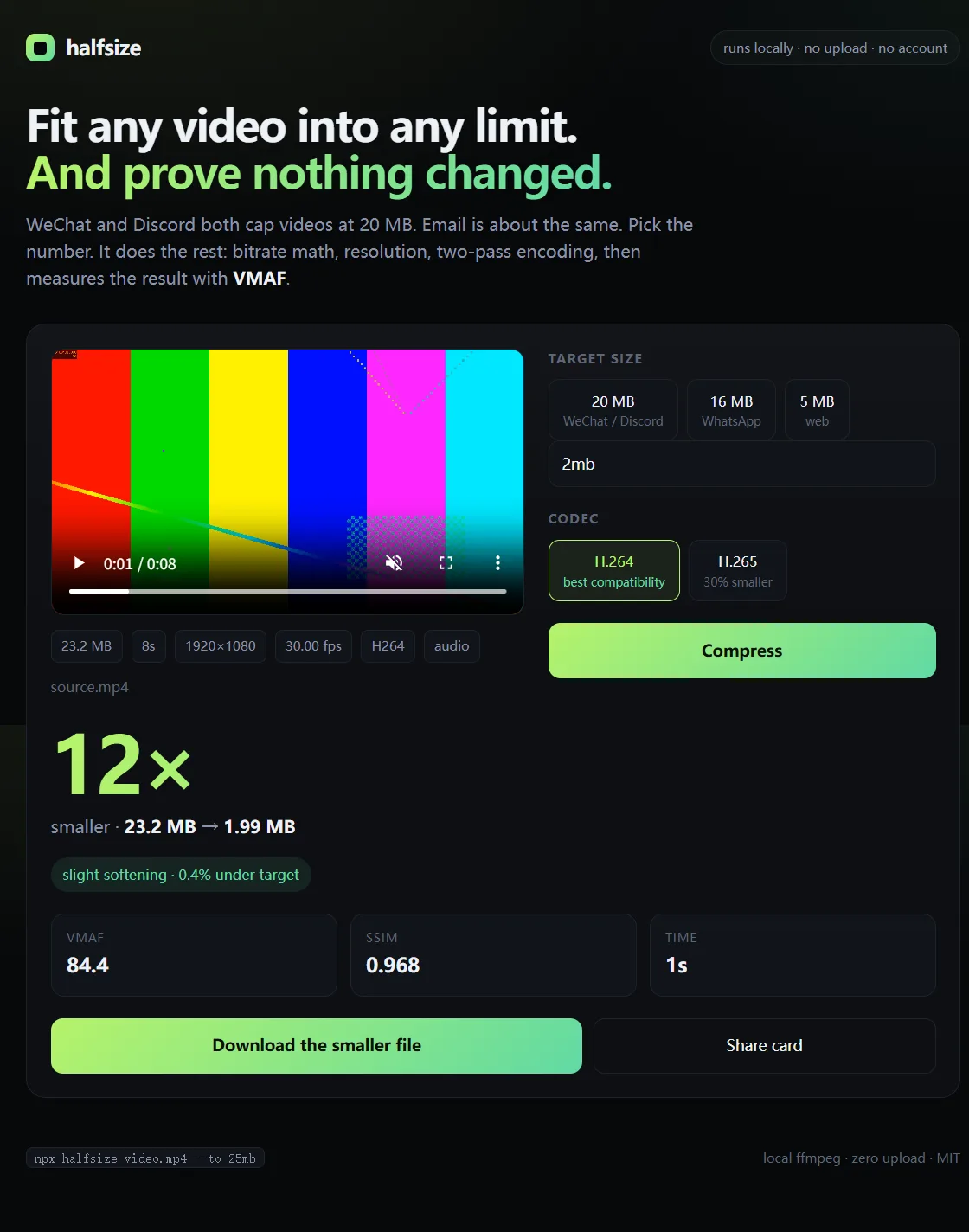
Real run: 23.2 MB → 1.99 MB (12× smaller), VMAF 84.4, 0.4% under target.
Step-by-step guides
Discord — 20 MB
Get under the free upload cap without losing the joke in the details.
WhatsApp — 16 MB
Stop letting WhatsApp re-compress your video into mush.
WeChat — 20 MB
Send the original-looking version instead of the auto-degraded one.
Any 20 MB limit
Email, forms, portals and everything else with a 20 MB cap.
FAQ
Does it upload my video anywhere?
No. Encoding and measurement run locally with FFmpeg. No account, no quota, and it works offline after installation.
Do I need to install FFmpeg?
No. A static build is downloaded on first install. If that fails, halfsize uses an FFmpeg already on your PATH.
Can it compress without shrinking the resolution?
Yes: add --no-downscale. It will keep the source size and spend the budget there, which is usually softer than letting it downscale.
Does it work on Windows, macOS and Linux?
Yes. Node.js 18+ is the only requirement.
Can I use it in a script?
Yes. --json prints a machine-readable result, and --dry-run shows the plan without encoding.
Is it really free?
MIT licensed, no paid tier. If it saves you time, a star helps other people find it.